How it works
Email in. Work done. Human when it matters.
-
An email arrives
Routing rules match it to the right agent — by subject, sender, or attachments. Anything that doesn't match is held for a person, never guessed at.
-
The agent works the thread
It extracts the details, calls your systems, and sends the reply — in the same thread, to the people already on it. Every step is recorded with its inputs, outputs, and cost.
-
When it needs a human, it asks and waits
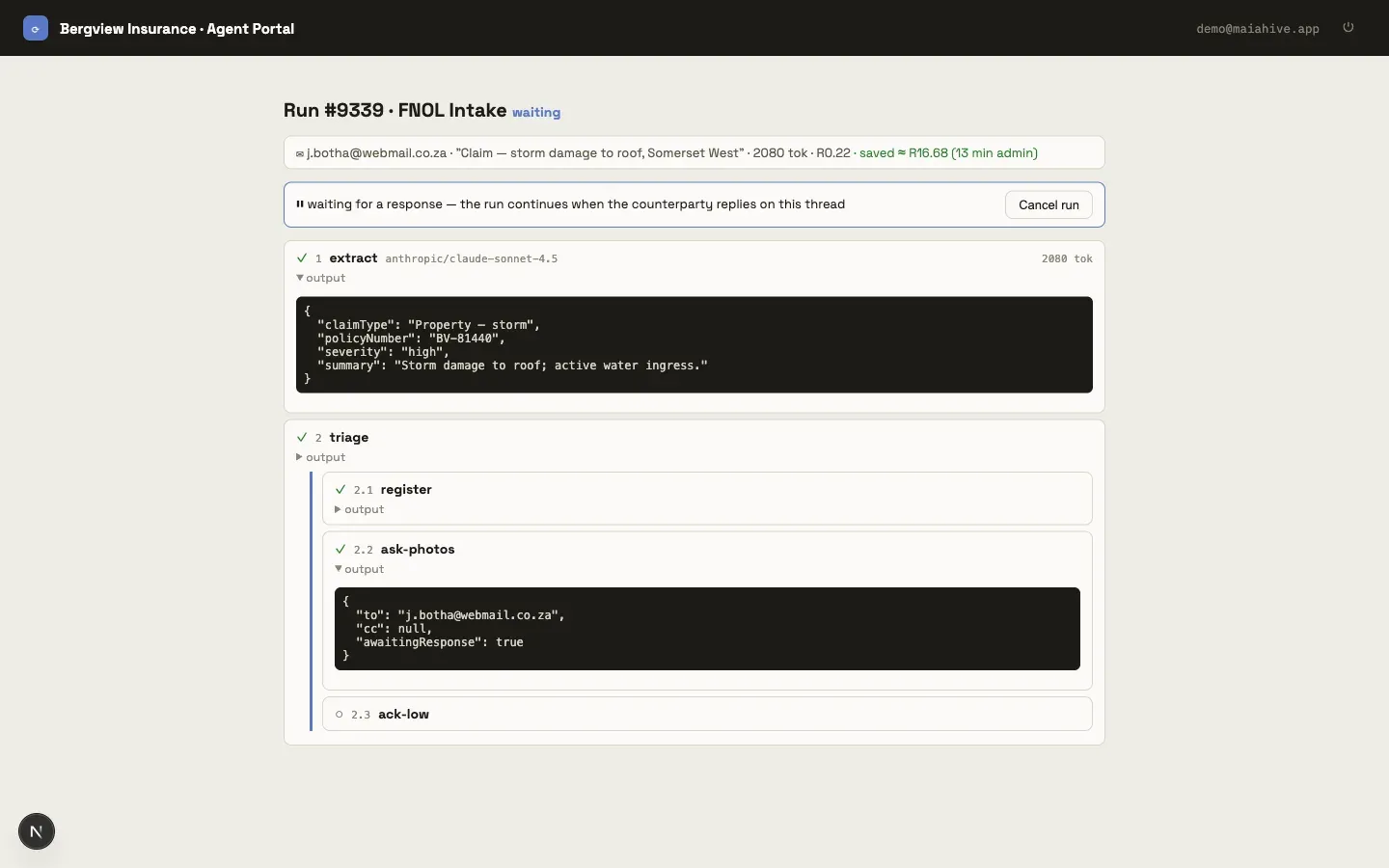
The agent sends its question and the run pauses in place. The reply — from your customer or your team — resumes the very same run where it left off. Nothing auto-sends past an open question.
Features
Everything an operational inbox needs, nothing it doesn't.
Built by describing, not coding
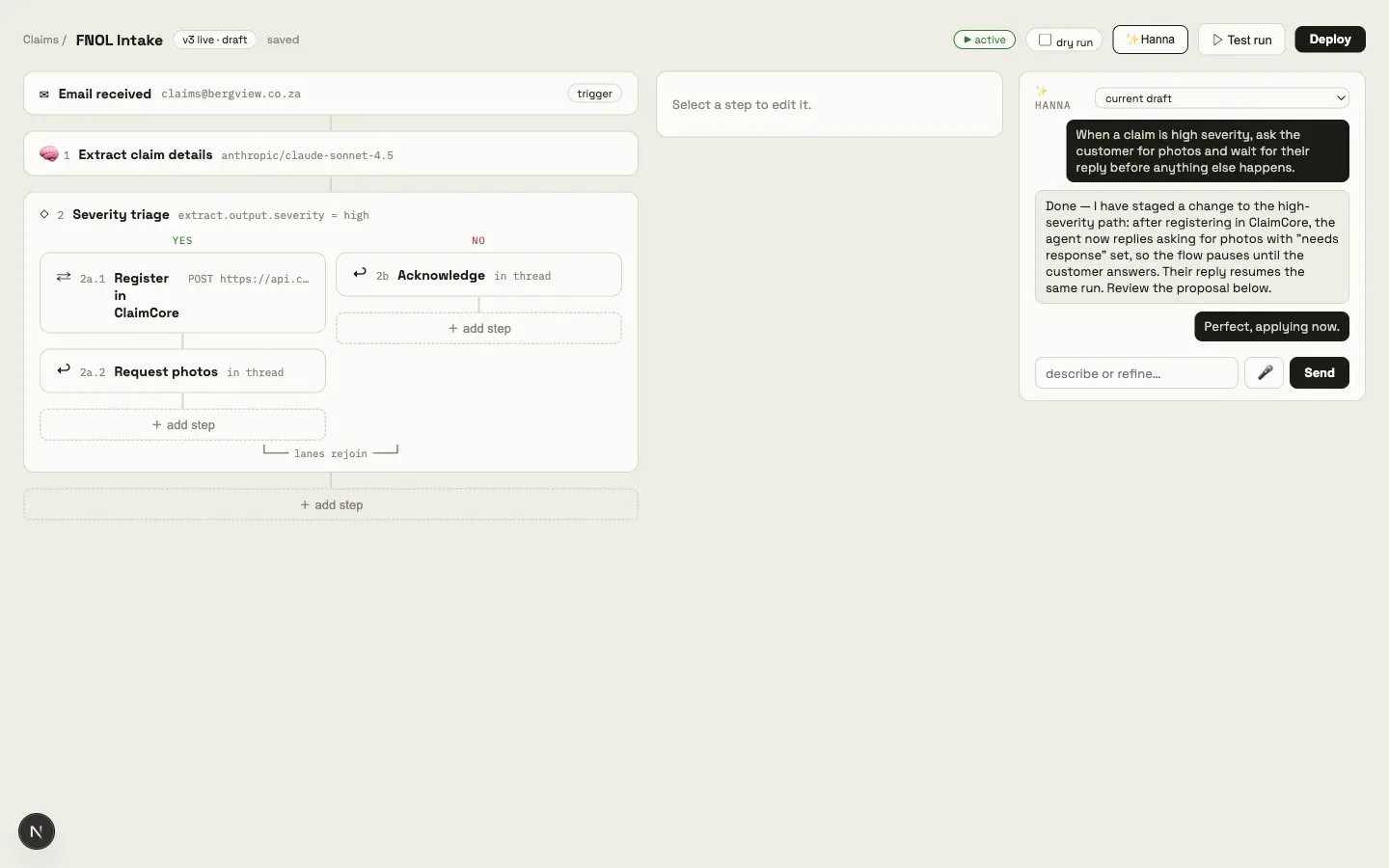
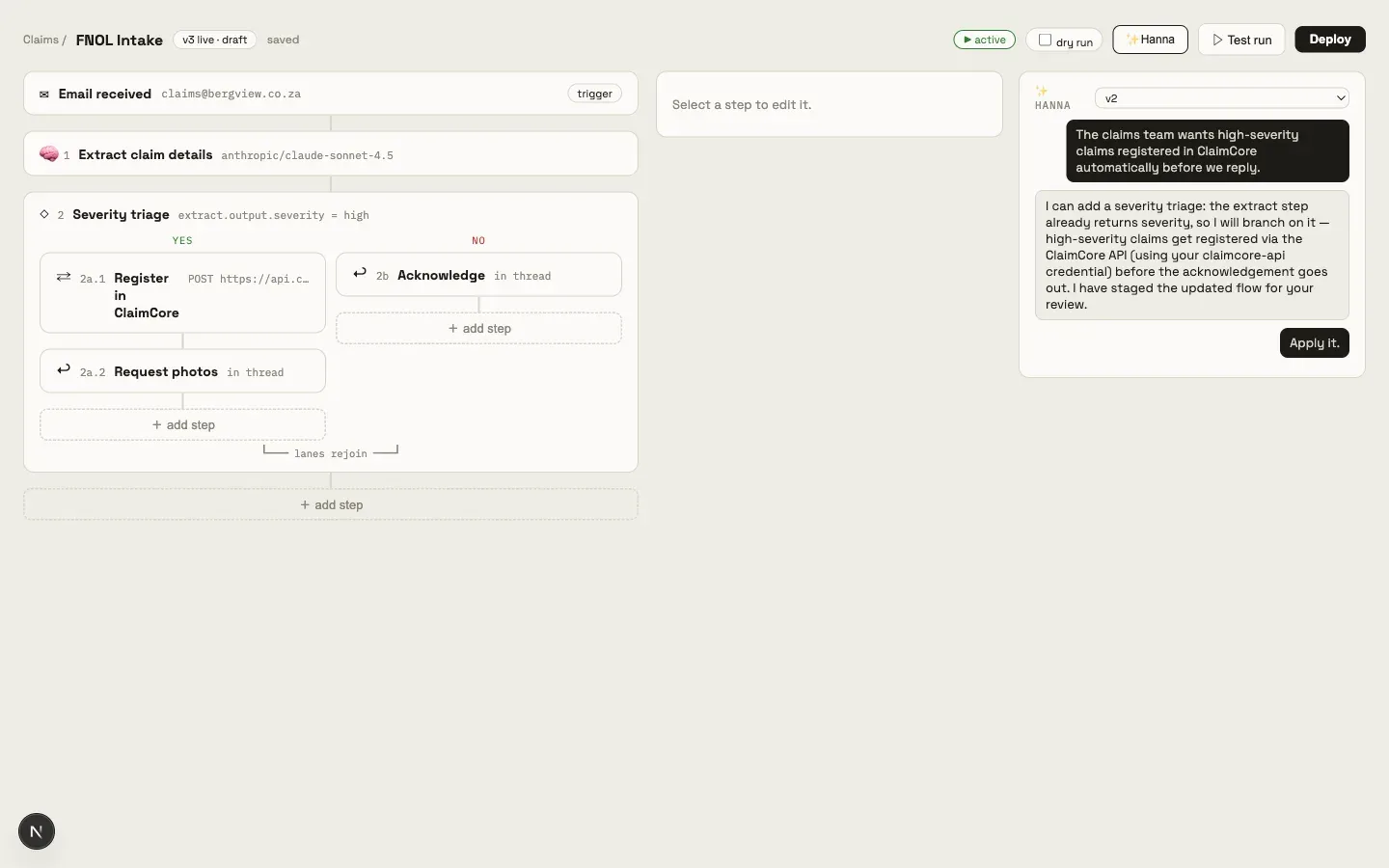
Tell Hanna, the built-in copilot, what the agent should do — “when a claim is high severity, ask the customer for photos and wait” — and she stages the change as a proposal you review and apply. The flow is always visible as plain steps: extract, branch, call an API, reply.
You can dictate changes too: press the mic, speak, and review the transcription before it's sent. Transcription runs on the platform's own hardware — your voice never goes to a third party.
Every conversation is kept with the version it produced, so you can always see why the agent works the way it does.
Humans stay in charge
Agents don't bluff. When a flow reaches a step marked “needs response,” the agent asks its question by email and the run pauses. The answer resumes the same run — same context, same thread — and routing rules can never steal that reply for another agent.
Your team sees every paused run at a glance, and can cancel one with a click if the question has been overtaken by events.
Structurally safe replies
Reply safety isn't a policy, it's the shape of the system. Agents can only reply within existing threads, to people already on them. They cannot start new emails, add recipients, or invent addresses — the capability simply doesn't exist.
Turn-taking is enforced per thread: once an agent has asked a question, it won't send again until the other side replies. No double-sends, no loops.
- reply in-thread only
- existing participants only
- one turn at a time
Spend you can see and cap
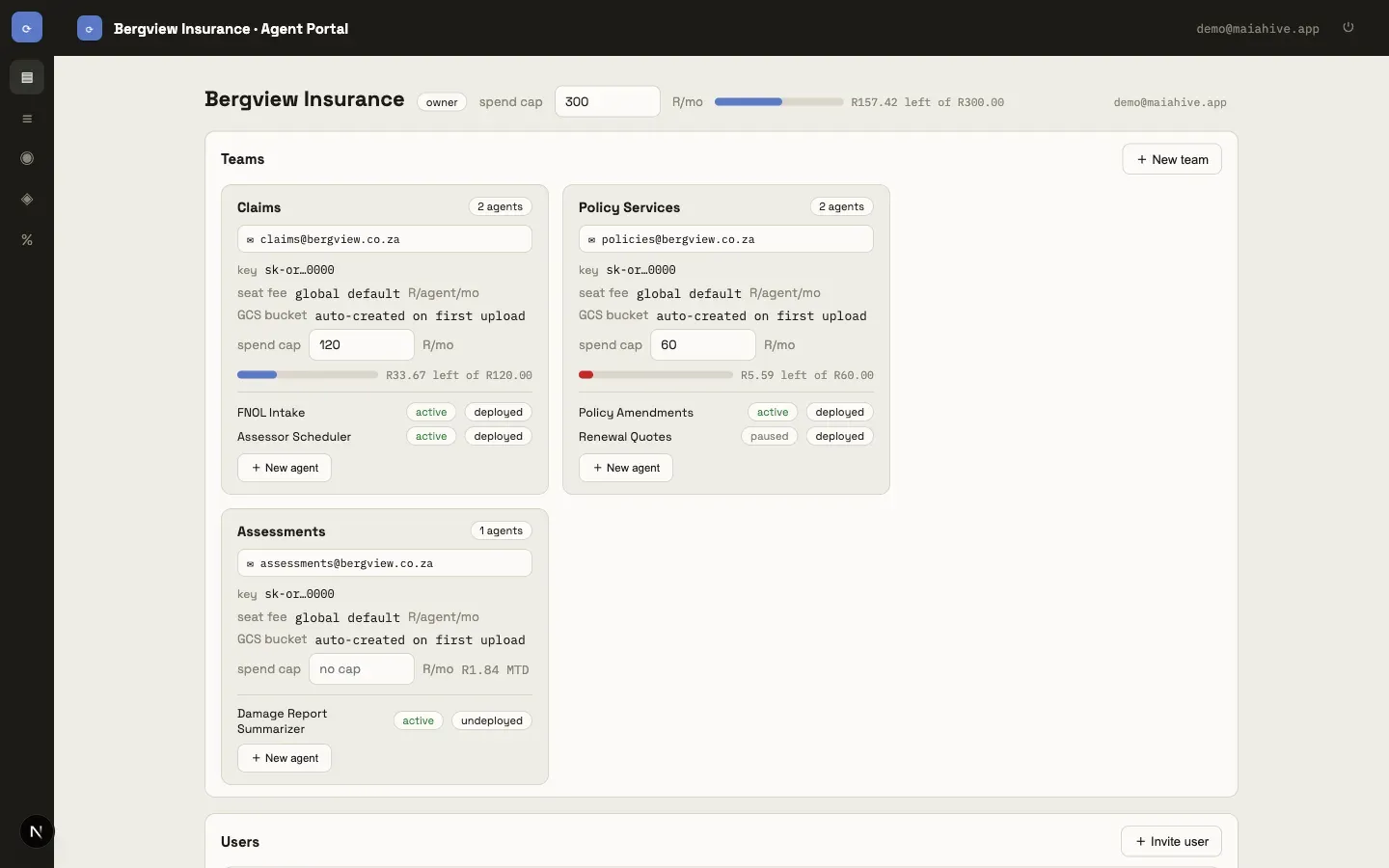
Every team has a live budget bar that starts full and drains as the month's AI usage accumulates — green, then warning, then red. At 80% of a cap the owner gets an email. At 100% the team stops cleanly: incoming mail is held, not dropped, and is released automatically the moment the cap is raised.
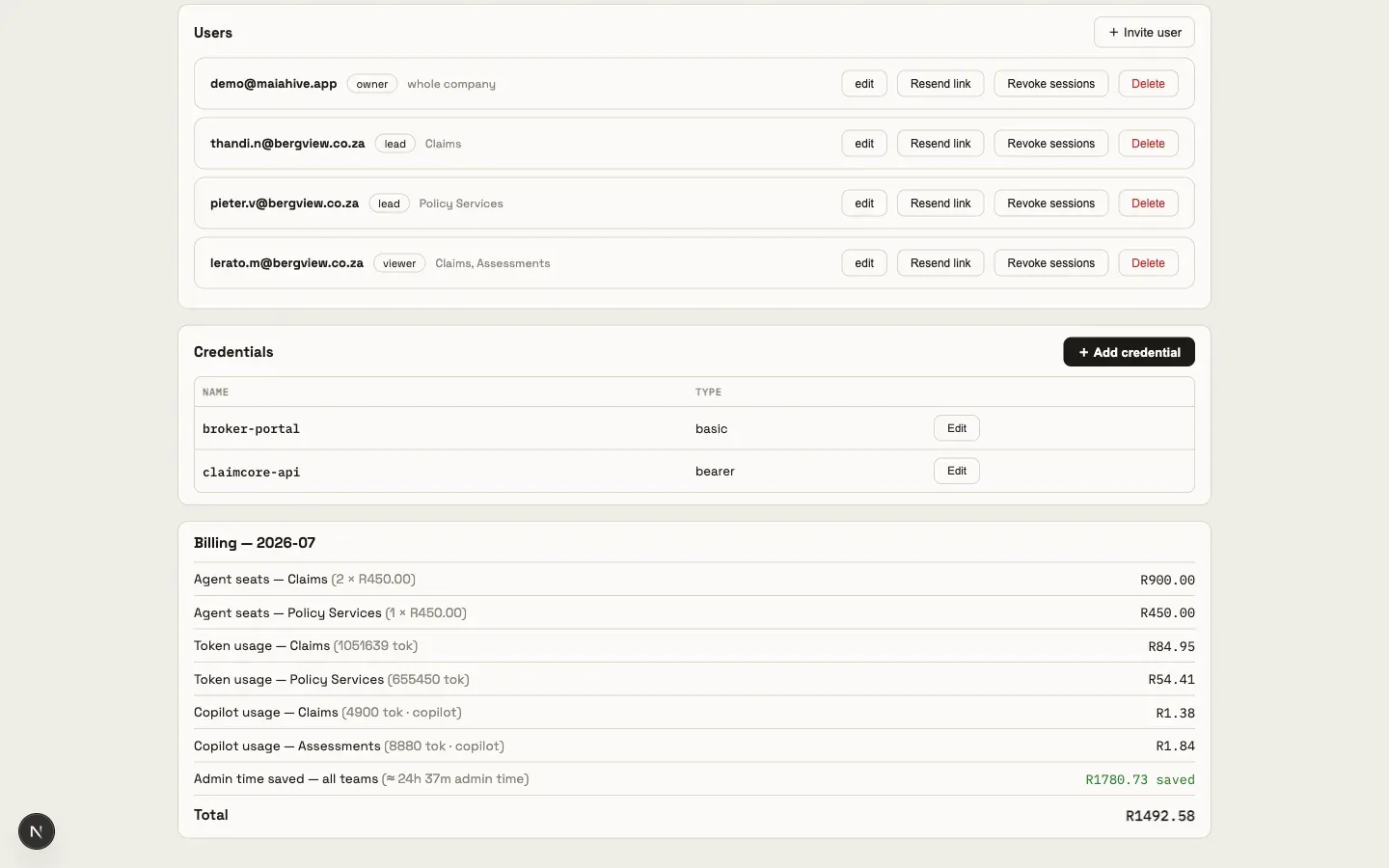
Billing is itemised per team — seats, token usage, copilot usage — in rand, with token counts shown plainly.
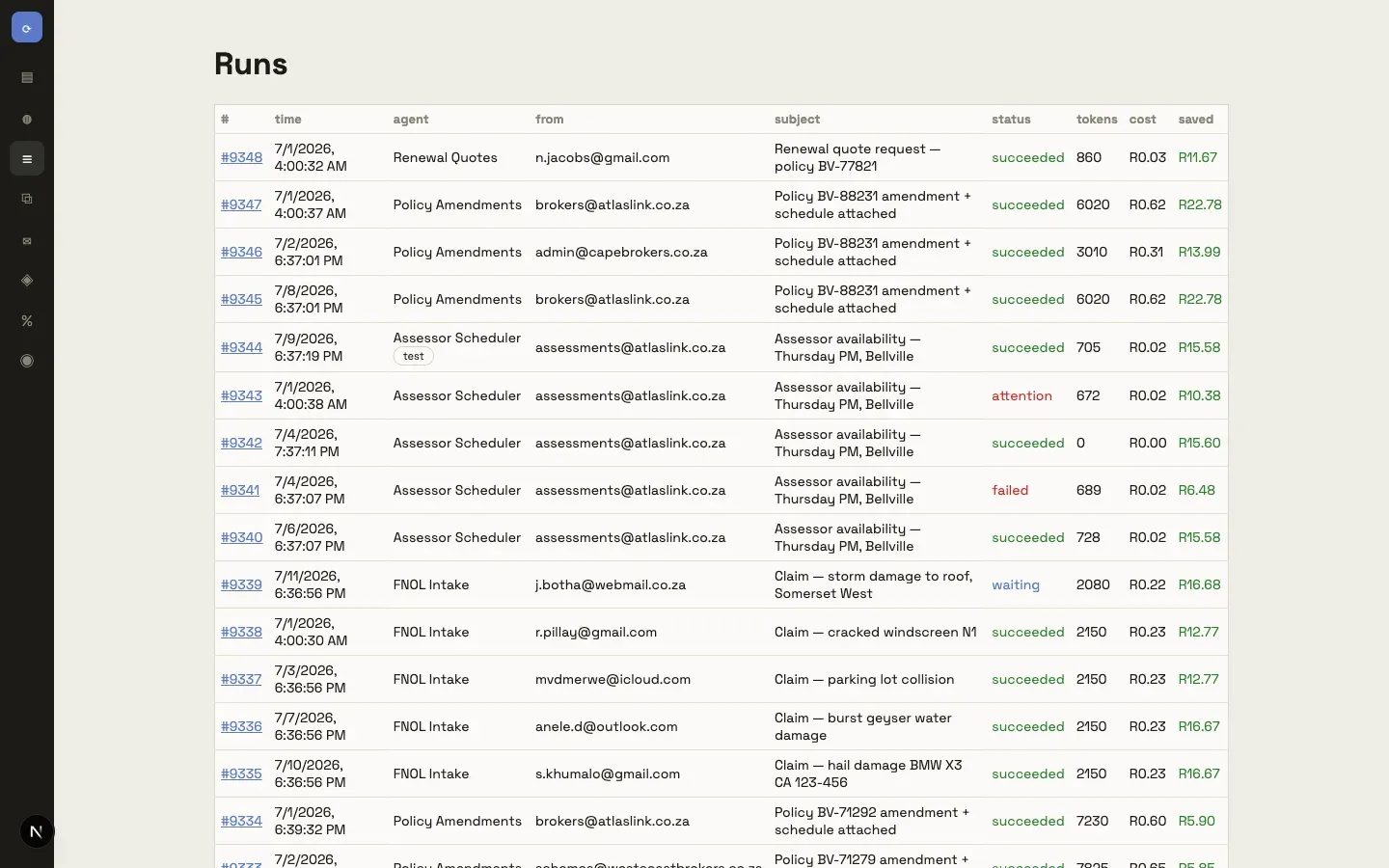
Every run, fully traceable
Click any run and see exactly what happened: each step's inputs and outputs, the tokens it used, what it cost, and which branch it took. When a step fails, you see the error — and you can replay the run once the cause is fixed.
An audit trail this complete isn't a report you request; it's just how the product works.
Your mail, your credentials
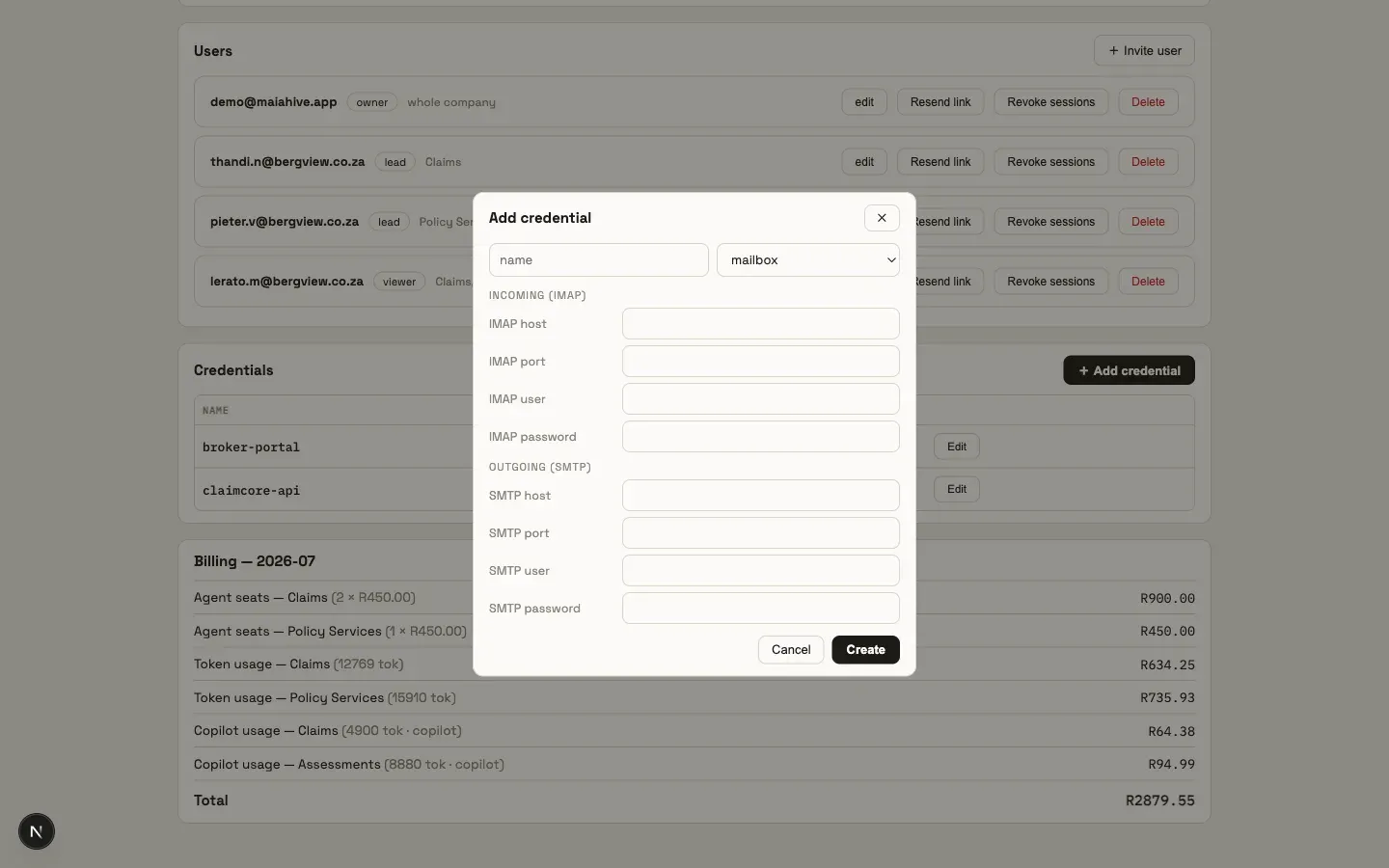
Agents run on your own mailboxes over standard IMAP and SMTP — no mail forwarding, no lock-in. Credentials live in an encrypted vault: secrets are write-only, shown to no one after you save them, and every API your agents call uses a named credential you control.
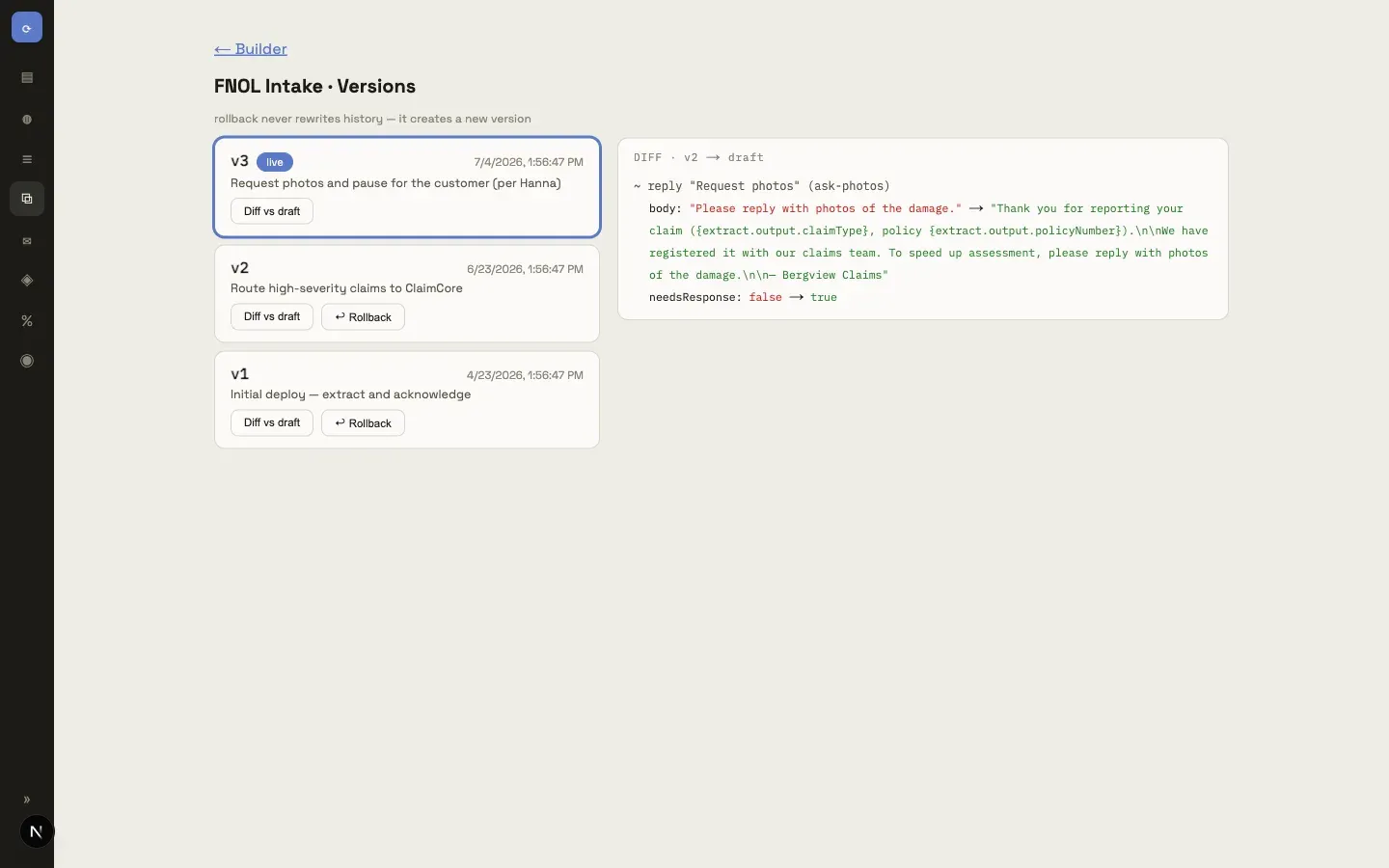
Agent versions are immutable history. Deploying creates a new version; rolling back creates a new version too — nothing is ever rewritten.
Return on investment
The maths of a routine inbox
A worked example for a team that receives 400 routine emails a month, costed at an admin salary of R13,500/month (≈ R78/hour). The numbers below are illustrative — put your own volumes in.
| Routine emails / month | 400 |
|---|---|
| Handling time each | 6 min |
| Staff time / month | 40 hours |
| Admin cost at R78/hr | ≈ R3,120 |
| Two agents clearing the routine 70% | R900 / mo seats |
| Metered AI usage (typical) | < R150 / mo |
| Admin time returned | ≈ 28 hrs ≈ R2,180 / mo |
You don't have to take our word for it
Maia Hive calculates this for real, per run — from the steps the agent actually executed, at your configured admin rate, net of the AI usage that replaced the work. It appears on every run and every monthly bill:
Admin time saved — all teams (≈ 24h 37m admin time) R1780.73 saved
The wins that don't fit in a table
- Minutes, not days. Replies go out when the email arrives, not when someone gets to it.
- Nothing dropped. Every email is matched, held, or escalated — there is no “fell through the cracks.”
- A full audit trail. Every reply traces back to the exact steps, data, and cost that produced it.
Pricing
Priced like the product works
No per-email fees, no platform lock-in — it's your mailbox.
Seats
from R450/deployed agent/mo
You pay per agent that's live on a mailbox. Draft and paused agents cost nothing while you build them.
Usage
metered AI tokens, billed monthly
Model usage is metered per team and itemised on your bill in rand, with plain token counts. Typical routine-email teams spend well under R200 a month.
Control
caps included, every team
Monthly spend caps per team and per company, warning emails at 80%, and a clean hard stop that holds mail rather than dropping it.
Run by your agency
We build it. We watch it. You own it.
Maia Hive is operated by iSixty as a managed service. We set up your mailboxes, build your agents with your team, monitor every run, and keep improving the flows as your patterns change — you don't need an AI engineer on staff.
You keep an owner's console the whole time: your users and their roles, your credentials, your spend and caps, your bill. Your team leads get the builder and Hanna, so the day you want to take over an agent yourselves, you just do.
FAQ
The questions operations teams ask
Where does our data live?
On infrastructure your agency runs for you — South-Africa-friendly hosting, your own mailboxes over IMAP/SMTP, and an encrypted credential vault. Nothing is forwarded through third-party mail services.
What happens when the AI is unsure?
It asks a human and waits. A flow step marked “needs response” sends the question and pauses the run; the reply resumes that same run. Nothing auto-sends past an open question.
How do spend caps work?
Each team (and the company as a whole) can have a monthly cap in rand. The console shows a live remaining-budget bar, owners get a warning email at 80%, and at the cap the team stops cleanly.
What happens to email that arrives while a team is capped?
It's held, not dropped. The moment the cap is raised, held mail is released and processed in order — you never lose a message to a budget.
Can we take over the agents ourselves?
Yes. Team leads get the same builder and copilot we use — the flows are plain, visible steps, and every version and conversation that produced them stays with the agent. There's nothing proprietary between you and your own automation.